XX
Xilisoft Xbox Converter
v6.5.1.0120Xilisoft Xbox Converter can convert your regular PC video files (AVI, MPEG, WMV, MOV, MP4, RM, RMVB, DivX, ASF, VOB,...
Description
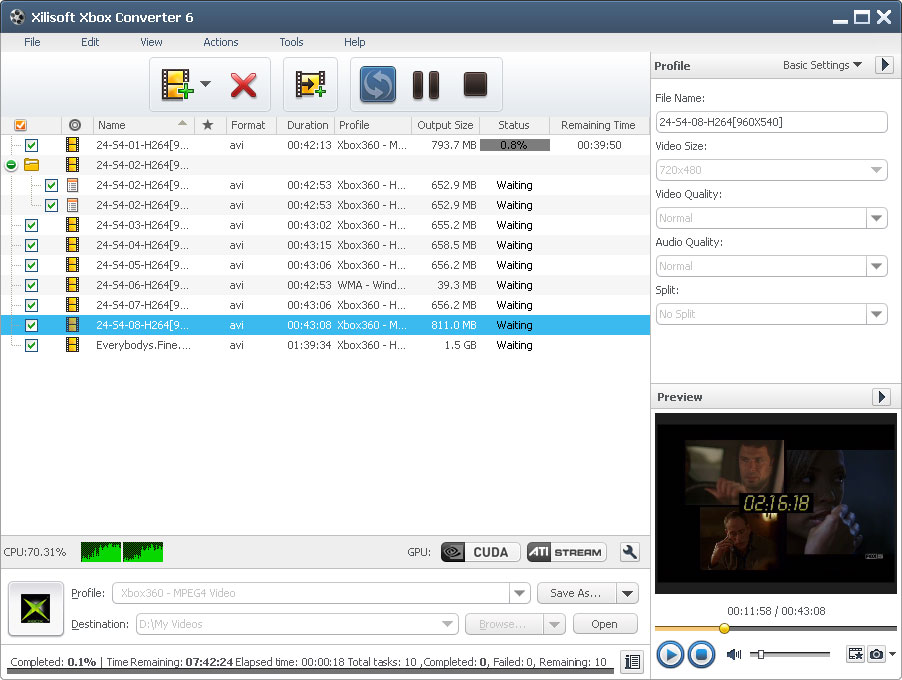
Xilisoft Xbox Converter can convert your regular PC video files (AVI, MPEG, WMV, MOV, MP4, RM, RMVB, DivX, ASF, VOB, 3GP, FLV), especially including HD video, to Xbox/Xbox 360 video, as well as convert them to MP3, WMA and WAV music with high conversion speed. Key features: 1.
Support for multi-core CPU so that you can convert multiple video files to Xbox/Xbox 360 movies faster than ever before. 2.
Specify the start and duration to get video segment to convert. 3.
Just append different profiles for the same video and you can get various files for different devices at one time now! 4.
Split video into segments. 5.
Manually set video parameters, like bit rate, sample rate, channels, video quality, even save the customization as your own profile. 6.
Customize video file size with the built-in Bitrate Calculator. 7.
Batch conversion and multithreading to convert one by one with a single step to save your time. 8.
Run in background for less CPU possession. 9.
Choose one of after done actions: shutdown, hibernate, standby, exit and let Xilisoft Xbox Converter do all Xbox video conversion tasks for you.
Support for multi-core CPU so that you can convert multiple video files to Xbox/Xbox 360 movies faster than ever before. 2.
Specify the start and duration to get video segment to convert. 3.
Just append different profiles for the same video and you can get various files for different devices at one time now! 4.
Split video into segments. 5.
Manually set video parameters, like bit rate, sample rate, channels, video quality, even save the customization as your own profile. 6.
Customize video file size with the built-in Bitrate Calculator. 7.
Batch conversion and multithreading to convert one by one with a single step to save your time. 8.
Run in background for less CPU possession. 9.
Choose one of after done actions: shutdown, hibernate, standby, exit and let Xilisoft Xbox Converter do all Xbox video conversion tasks for you.
File Size
28.61 MB
License
Shareware $19.95
Latest Update
09 Feb 2007
Publisher
Xilisoft Inc.