XD
Xilisoft DivX Converter
v6.5.1.0120Xilisoft DivX Converter helps convert a variety of video formats including AVI, MKV, WMV, MP4, MOV, etc. to DivX, XviD,...
Description
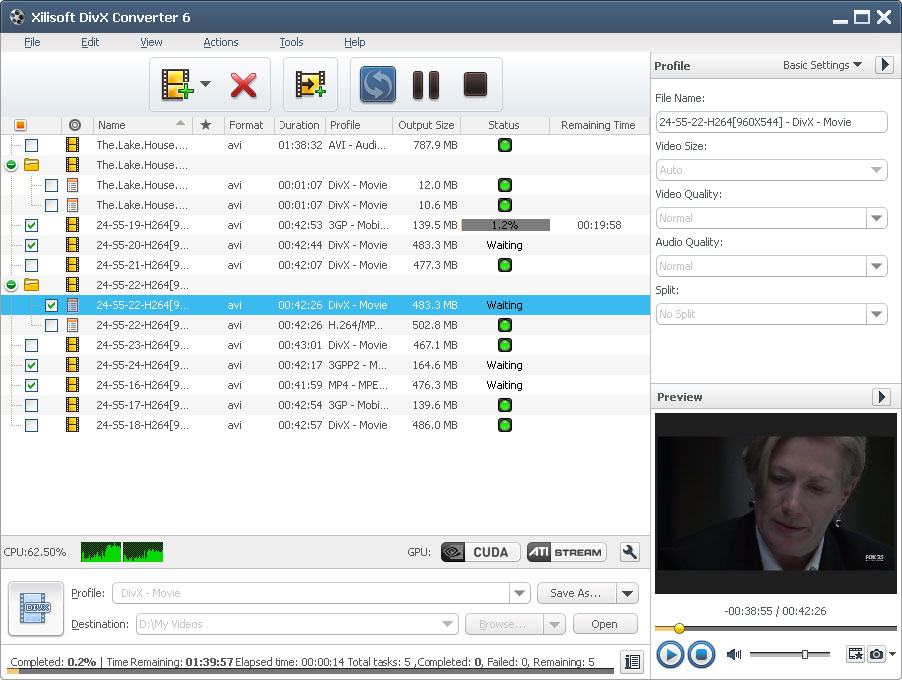
Xilisoft DivX Converter helps convert a variety of video formats including AVI, MKV, WMV, MP4, MOV, etc. to DivX, XviD, WMV, AVI, MOV, MP4, MPEG4/H.264, 3GP.
Plus, you can extract M4A or MP3 audio files from any of the videos. Equipped with a full range of editing features such as splitting the video, setting multiple output formats for a single source, extracting segments, and customizing output file size to give you the perfect video.
Key features: 1. Supported source formats: AVI, DV, DIF, MKV, MPG, MPEG, MPA, DAT, VOB, MP4, 3GP, 3G2, MOV, QT, RM, RMVB, DAT, WMV, ASF.
2. Supported output formats: M4A, MP3, DivX, XviD, AVI, MOV, MP4, MPEG1, MPEG2, MPEG4/H.264, VOB, WMV, 3GPP, 3GPP2, FLV.
3. Multi-core CPU supported.
The more cores you have, the faster the conversion will be. 4.
Output multiple formats from a single source 5. Choose split modes or customize the split time/size to split the video into desired segments 6.
The built-in Bitrate Calculator makes it easy to get the desired output file size. 7.
Set start time and duration of a specific segment you want to extract it from source file. 8.
The adjusted output parameters such as video codec, video size, bit rate, frame rate, audio codec, channels, and so on. 9.
Run the DivX Converter in the background to save CPU resources for other applications. 10.
Set the automatic done actions to quit, shut down, hibernate, or standby 11. Take snapshots when previewing the source video.
12. Auto check for software updates.
Plus, you can extract M4A or MP3 audio files from any of the videos. Equipped with a full range of editing features such as splitting the video, setting multiple output formats for a single source, extracting segments, and customizing output file size to give you the perfect video.
Key features: 1. Supported source formats: AVI, DV, DIF, MKV, MPG, MPEG, MPA, DAT, VOB, MP4, 3GP, 3G2, MOV, QT, RM, RMVB, DAT, WMV, ASF.
2. Supported output formats: M4A, MP3, DivX, XviD, AVI, MOV, MP4, MPEG1, MPEG2, MPEG4/H.264, VOB, WMV, 3GPP, 3GPP2, FLV.
3. Multi-core CPU supported.
The more cores you have, the faster the conversion will be. 4.
Output multiple formats from a single source 5. Choose split modes or customize the split time/size to split the video into desired segments 6.
The built-in Bitrate Calculator makes it easy to get the desired output file size. 7.
Set start time and duration of a specific segment you want to extract it from source file. 8.
The adjusted output parameters such as video codec, video size, bit rate, frame rate, audio codec, channels, and so on. 9.
Run the DivX Converter in the background to save CPU resources for other applications. 10.
Set the automatic done actions to quit, shut down, hibernate, or standby 11. Take snapshots when previewing the source video.
12. Auto check for software updates.
File Size
28.61 MB
License
Shareware $19.95
Latest Update
19 Jan 2007
Publisher
Xilisoft Inc.