PU
Publish-iT
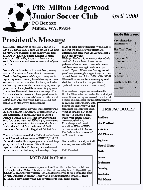
v3.7PUBLISH-iT lets you create newletters, brochures, flyers, reports, ads, and almost any other publications. PUBLISH-iT combines the best features of word-processing, graphics, and desktop publishing. Why pay $120 for Microsoft publisher when you can get the same capabilities in Publish-iT for $23?. You get complete flexibility in the layout and formatting of your document. Includes tutorial, extensive online help, examples, and templates.
Description
PUBLISH-iT lets you create newletters, brochures, flyers, reports, ads, and almost any other publications. PUBLISH-iT combines the best features of word-processing, graphics, and desktop publishing.
Why pay $120 for Microsoft publisher when you can get the same capabilities in Publish-iT for $23?. You get complete flexibility in the layout and formatting of your document.
Includes extensive online help, examples, and templates. CREATING PUBLICATIONS: - Create newletters, brochures, advertisements, and many other publications.
- Add text and graphics to each page. - Master pages give your publication a consistent, professional look every time.
- Many professionally-designed templates; or create your own custom templates. PRINTING: - Print individual pages, booklets, even large posters.
(tiled over multiple pages). - Create PDF files with Publish-iT PRO.
VIEWING: - View pages in full-screen mode for computer-based presentations. - View pages in page-sorter mode (20 pages at a time) to rearrange pages.
TEXT: - Over 100 special effects for text, including arch, stretch, and warp. - Spelling check.
DRAWING: - A full set of drawing and illustration tools. - A complete set of pre-drawn shapes.
PICTURES: - Import BMP, JPEG, GIF, TIFF, and WMF/EMF picture files. - TWAIN interface for scanners and digital cameras.
- Stretch, crop, and rotate pictures. Adjust brightness, contrast, color.
- Smooth pictures for smooth enlargements. A tutorial, extensive on-line help, and many professionally-designed templates and examples are included, together with over 50 textures and borders.
Why pay $120 for Microsoft publisher when you can get the same capabilities in Publish-iT for $23?. You get complete flexibility in the layout and formatting of your document.
Includes extensive online help, examples, and templates. CREATING PUBLICATIONS: - Create newletters, brochures, advertisements, and many other publications.
- Add text and graphics to each page. - Master pages give your publication a consistent, professional look every time.
- Many professionally-designed templates; or create your own custom templates. PRINTING: - Print individual pages, booklets, even large posters.
(tiled over multiple pages). - Create PDF files with Publish-iT PRO.
VIEWING: - View pages in full-screen mode for computer-based presentations. - View pages in page-sorter mode (20 pages at a time) to rearrange pages.
TEXT: - Over 100 special effects for text, including arch, stretch, and warp. - Spelling check.
DRAWING: - A full set of drawing and illustration tools. - A complete set of pre-drawn shapes.
PICTURES: - Import BMP, JPEG, GIF, TIFF, and WMF/EMF picture files. - TWAIN interface for scanners and digital cameras.
- Stretch, crop, and rotate pictures. Adjust brightness, contrast, color.
- Smooth pictures for smooth enlargements. A tutorial, extensive on-line help, and many professionally-designed templates and examples are included, together with over 50 textures and borders.
File Size
2.12 MB
License
Shareware $24.00
Latest Update
31 Aug 2015
Publisher
Robert Bedoll