PV
Paradox viewer
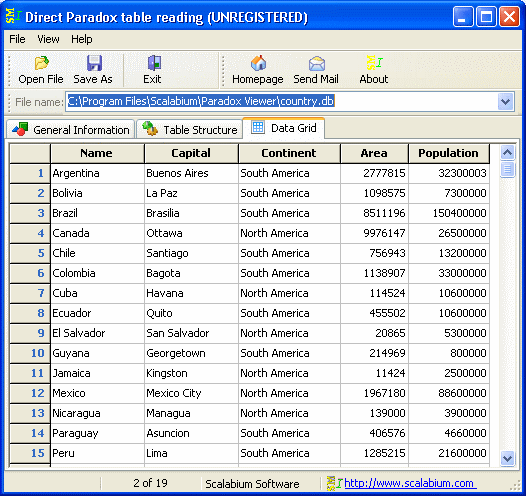
v2.25PDXView allows to read/open the Paradox tables on any computer. Application don't use any external libraries (no BDE, no ODBC/ADO etc) and you may run this tool on computer without any additional setup/install. You'll view the full Paradox system information (version, header size etc), table structure (all field types supported) and data in grid. All features are available via command-line arguments so you could automate any your tasks
Description
This tool allow to read/open the Paradox tables on any computer. An application don't use any external libraries (no BDE, no ODBC, no ADO etc) and you may run this tool on computer without any additional setup/install.
You may see the full Paradox system information (file version, header size etc), table structure and data in grid. All field types supported (including MEMO, BLOB, graphic, rtf-formatted memo etc) Also you may save the data as CSV/text file, HTML/XML, MS Excel spreadsheet, MS Access or SPSS.
Additionally you may generate SQL-script with data dump. To convert the password-protected table you must enter the valid password in prompt dialog.
All features are available via command-line arguments so you could automate any your tasks. Multilingual support
You may see the full Paradox system information (file version, header size etc), table structure and data in grid. All field types supported (including MEMO, BLOB, graphic, rtf-formatted memo etc) Also you may save the data as CSV/text file, HTML/XML, MS Excel spreadsheet, MS Access or SPSS.
Additionally you may generate SQL-script with data dump. To convert the password-protected table you must enter the valid password in prompt dialog.
All features are available via command-line arguments so you could automate any your tasks. Multilingual support
File Size
0.86 MB
License
Shareware $20
Latest Update
05 Jan 2014
Publisher
Mike Shkolnik