FirmTools RedEyeBot
v1.0Remove red-eye automatically from a bunch of digital pictures! FirmTools RedEyeBot scans your entire collection of digital photos or any part of it, detecting and removing red-eye completely automatic...
Description
Remove red-eye automatically from a bunch of digital pictures! FirmTools RedEyeBot scans your entire collection of digital photos or any part of it, detecting and removing red-eye completely automatically.
Like the original better? You always have an option to roll-back any image to its original state.
The red-eye effect appears on film and digital photographs when you light a human face with a flash. The flash causes the bright red reflection deep inside of an eye.
Removing the red-eye effect greatly enhances the appearance of faces in pictures. It's no fun opening and editing each and every digital picture manually from the hundreds of images you've shot with a flash.
There are various tools on the market that claim to reduce the red-eye effect, but the majority of these tools require that you open images one by one and select the areas that suffer from the red-eye effect. FirmTools RedEyeBot removes the hassle of manual red-eye reduction once and forever!
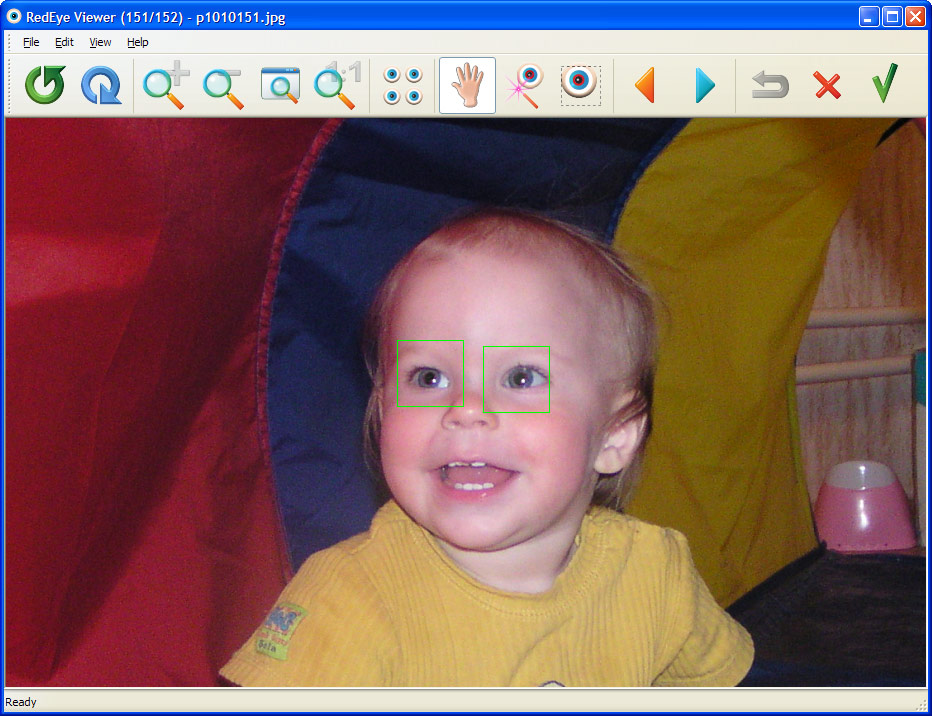
Processing hundreds of photographs is just a matter of minutes thanks to the ability of FirmTools RedEyeBot to detect human faces and red eyes. Process all images at once, specify folders or select a set of images.
FirmTools RedEyeBot will process your selection quickly and efficiently no matter how many images you select! Every once in a while, the original photograph makes you happier than the corrected one.
Even though this does not frequently happen, FirmTools RedEyeBot backs up each processed image for easy one-click restoration. If you're not completely happy with the result, just click a button and return the original image!
Every once in a while, you might want to work on a picture in an assisted-automatic or even a fully-manual mode. FirmTools RedEyeBot provides you an easy way to remove the red-eye effect by defining an area that contains the red eyes.
After you do this, FirmTools RedEyeBot processes your selection and removes the red-eye within it automatically.
Like the original better? You always have an option to roll-back any image to its original state.
The red-eye effect appears on film and digital photographs when you light a human face with a flash. The flash causes the bright red reflection deep inside of an eye.
Removing the red-eye effect greatly enhances the appearance of faces in pictures. It's no fun opening and editing each and every digital picture manually from the hundreds of images you've shot with a flash.
There are various tools on the market that claim to reduce the red-eye effect, but the majority of these tools require that you open images one by one and select the areas that suffer from the red-eye effect. FirmTools RedEyeBot removes the hassle of manual red-eye reduction once and forever!
Processing hundreds of photographs is just a matter of minutes thanks to the ability of FirmTools RedEyeBot to detect human faces and red eyes. Process all images at once, specify folders or select a set of images.
FirmTools RedEyeBot will process your selection quickly and efficiently no matter how many images you select! Every once in a while, the original photograph makes you happier than the corrected one.
Even though this does not frequently happen, FirmTools RedEyeBot backs up each processed image for easy one-click restoration. If you're not completely happy with the result, just click a button and return the original image!
Every once in a while, you might want to work on a picture in an assisted-automatic or even a fully-manual mode. FirmTools RedEyeBot provides you an easy way to remove the red-eye effect by defining an area that contains the red eyes.
After you do this, FirmTools RedEyeBot processes your selection and removes the red-eye within it automatically.