FI
FindinSite-MS
v1.72FindinSite-MS is a search engine for a MS hosted web site - easily configurable to look like part of your web site, index when you want and highlight result pages. FindinSite-MS is an ASP.NET 2 application that runs in IIS on a Windows server, including shared hosts. A Search API XML web service is available. The FindinSite-MS Control Panel makes it easy to set up regular indexing runs and output template files.
Description
FindinSite-MS is a search engine for a MS hosted web site - easily configurable to * look like part of your web site, * index when you want and * highlight result pages FindinSite-MS is an ASP.NET application that runs in IIS on a Windows server, including shared Microsoft-based hosts - .NET framework 2.0 or later. A Search API XML web service is available for complete programmer control.
No database needed. Powerful search facilities are available, including booleans and wildcards, word stemming and synonyms, subsets and meta-data field searches.
The FindinSite-MS user interface adapts to the user's preferred locale - great international support: 29 Western, Arabic and Asian languages are currently supported. FindinSite-MS searches many file types, including HTML, PDF, DOC, DOCX, XLS, XLSX, PPT, PPTX, PUB, TXT, JPEG and TIFF files.
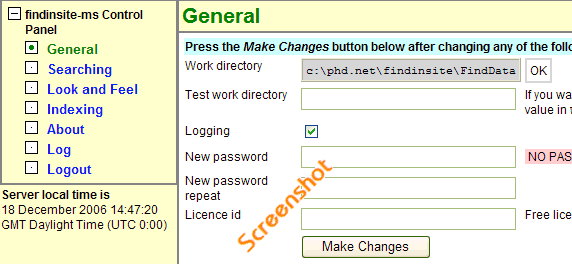
FindinSite-MS Control Panel makes it easy to set up regular indexing runs to spider through all the files on your site. The generated output is configured using template files - optionally incorporating output generated dynamically from ASPX pages.
Search subsets can be set up to search many sites. The Search API is provided as an XML web service.
As a programmer, this can be used to do searches and then process the results as you wish. Installation is by creating a new directory on your site, marked as an application.
FindinSite-MS needs file write permission to store its configuration information.
No database needed. Powerful search facilities are available, including booleans and wildcards, word stemming and synonyms, subsets and meta-data field searches.
The FindinSite-MS user interface adapts to the user's preferred locale - great international support: 29 Western, Arabic and Asian languages are currently supported. FindinSite-MS searches many file types, including HTML, PDF, DOC, DOCX, XLS, XLSX, PPT, PPTX, PUB, TXT, JPEG and TIFF files.
FindinSite-MS Control Panel makes it easy to set up regular indexing runs to spider through all the files on your site. The generated output is configured using template files - optionally incorporating output generated dynamically from ASPX pages.
Search subsets can be set up to search many sites. The Search API is provided as an XML web service.
As a programmer, this can be used to do searches and then process the results as you wish. Installation is by creating a new directory on your site, marked as an application.
FindinSite-MS needs file write permission to store its configuration information.