ES
Easyscreen Screen Capture
v3.71Capture and save any screenshots, pictures, or text on your computer, capture parts of screens, convert images to JPEG...
Description
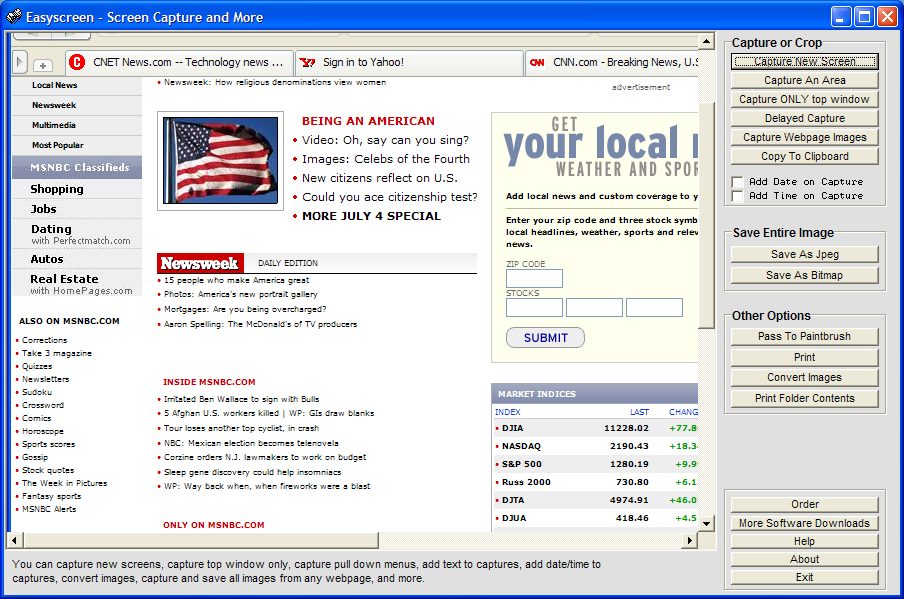
Capture and save any screenshots, pictures, or text on your computer, capture parts of screens, convert images to JPEG images, download all images from any website, embed text messages directly into images, add date/time to your capture, and print any screen. You can also capture pull down menus on other applications, use delayed captures to capture screensavers, capture and convert images to grayscale, convert an entire folder of images into jpeg images with one click, print the contents of folders, and copy any images into the windows clipboard.
A variety of other options are also included for printing, saving, cropping, or even editing screen images. There is even an option for selecting different jpeg compression levels for those who want to save more space, and you can also embed text transparently over your captured screens.
No extra run-time files are needed. (Runs on all Windows systems).
A variety of other options are also included for printing, saving, cropping, or even editing screen images. There is even an option for selecting different jpeg compression levels for those who want to save more space, and you can also embed text transparently over your captured screens.
No extra run-time files are needed. (Runs on all Windows systems).
File Size
0.58 MB
License
Shareware $18.95
Latest Update
30 Jul 2001
Publisher
Jeff