BT
BMP to DXF
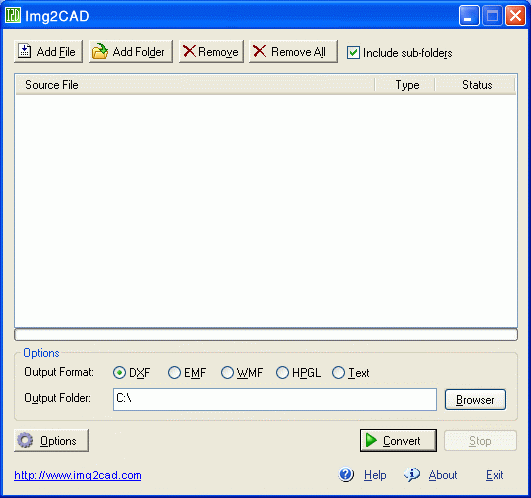
v7.2BMP to DXF is a stand-alone program that converts images (BMP, JPG, TIF, GIF, etc) into AutoCAD formats (such as DXF, HPGL, etc) for editing in any CAD application. Any image which is stored in BMP, JPG, TIF, GIF, PNG and more formats can be processed by Image2DXF into CAD DXF and other vector file formats.
Description
BMP to DXF is a stand-alone program that converts images (BMP, JPG, TIF, GIF, etc) into AutoCAD formats (such as DXF, HPGL, etc) for editing in any CAD application. Key Features: a.
Input image formats: BMP, JPG, TIF, GIF, PNG, PCX, TGA, RLE, JPE, J2K, JAS, JBG, MNG and more. b.
Output formats: DXF, HPGL, and others. c.
Outline solid raster areas. d.
Create center lines and outlines. e.
Scale images in the X and Y directions to make them larger or smaller. f.
Color, Gray and black-and-white images vectorization. g.
Tracing raster lines, arcs, circles, arrow lines, dash lines, polylines, hatches on monochrome, grayscale or color images. h.
Increase or decrease brightness and contrast. i.
Automatic correction: restoring of intersections, aligning, joining fragments, joining fragments to line, arc, circle and polyline. j.
Removing low sized vector objects, correction of recognized texts. k.
Automatically straighten images to a reference line. l.
Remove speckles of color to make colors more uniform. m.
Can adjust tolerance levels. n.
Batch processing.
Input image formats: BMP, JPG, TIF, GIF, PNG, PCX, TGA, RLE, JPE, J2K, JAS, JBG, MNG and more. b.
Output formats: DXF, HPGL, and others. c.
Outline solid raster areas. d.
Create center lines and outlines. e.
Scale images in the X and Y directions to make them larger or smaller. f.
Color, Gray and black-and-white images vectorization. g.
Tracing raster lines, arcs, circles, arrow lines, dash lines, polylines, hatches on monochrome, grayscale or color images. h.
Increase or decrease brightness and contrast. i.
Automatic correction: restoring of intersections, aligning, joining fragments, joining fragments to line, arc, circle and polyline. j.
Removing low sized vector objects, correction of recognized texts. k.
Automatically straighten images to a reference line. l.
Remove speckles of color to make colors more uniform. m.
Can adjust tolerance levels. n.
Batch processing.
File Size
0.53 MB
License
Shareware $99.00
Latest Update
25 Apr 2013
Publisher
Cary Smith