4V
4Videosoft Video Converter for Mac
v5.3.324Videosoft Video Converter for Mac can convert your videos freely. You are able to convert your video to MP4, MOV, AVI, FLV, M4V, etc. with high conversion speed and quality. The program enables you to edit your videos with the trim, crop, watermark, effect and merge functions. You can also enjoy your output videos on the portable devices like iPhone 5S, iPhone 5, iPad Air, Samsung Galaxy S5, Samsung Note 3, etc.
Description
4Videosoft Video Converter for Mac is the best Video Converter software for Mac users. It enables you to convert almost all videos to HD videos and other popular video formats like MP4, MPG, FLV, M4V, AVI, WMV, etc.
You can optimize your videos with the splendid editing functions like trim, crop, and watermark and so on to get a better output video. Key Features: 1.
Convert video to popular videos 4Videosoft Video Converter for Mac is professional in converting your videos to other popular video formats as you like. It highly supports MP4, MOV, M4V, AVI, FLV, WMV, etc.
After conversion, these converted videos can play on your portable devices like iPhone 5S, iPhone 5C, iPhone 5, iPhone 4S, iPad Air, iPad mini 2, Samsung Galaxy Note3, Samsung Galaxy S5, HTC one, BlackBerry and more. What?s more, you are allowed to extract audio files and convert them to other audio formats like MP3, AAC, AC3 and more.
2. Optimize your videos 4Videosoft Video Converter for Mac gives you powerful editing functions like trim, effect, crop, watermark and merge.
With them, you are able to modify your output video effect by adjusting the Contrast, Brightness, Saturation, Hue and Volume. It can help you cut off the black edge and reset the video length.
You are allowed to add your favorite text and image watermark for the output video. It enables you to merge several videos into one.
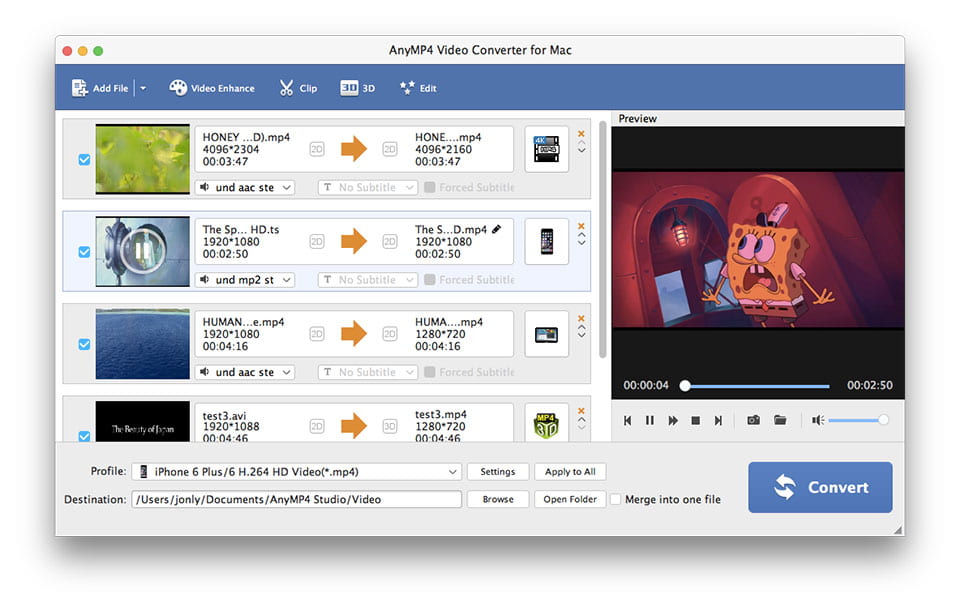
3. Other popular settings for you 4Videosoft Video Converter for Mac enables you to preview the source video and take snapshot.
The snapshot pictures will be saved as default folder. To get a better output video, you can choose the other settings such as Video Encoder, Resolution, Frame Rate, Video Bitrate, Audio Encoder, Sample Rate, Channels, and Audio Bitrate for your output video.
You can optimize your videos with the splendid editing functions like trim, crop, and watermark and so on to get a better output video. Key Features: 1.
Convert video to popular videos 4Videosoft Video Converter for Mac is professional in converting your videos to other popular video formats as you like. It highly supports MP4, MOV, M4V, AVI, FLV, WMV, etc.
After conversion, these converted videos can play on your portable devices like iPhone 5S, iPhone 5C, iPhone 5, iPhone 4S, iPad Air, iPad mini 2, Samsung Galaxy Note3, Samsung Galaxy S5, HTC one, BlackBerry and more. What?s more, you are allowed to extract audio files and convert them to other audio formats like MP3, AAC, AC3 and more.
2. Optimize your videos 4Videosoft Video Converter for Mac gives you powerful editing functions like trim, effect, crop, watermark and merge.
With them, you are able to modify your output video effect by adjusting the Contrast, Brightness, Saturation, Hue and Volume. It can help you cut off the black edge and reset the video length.
You are allowed to add your favorite text and image watermark for the output video. It enables you to merge several videos into one.
3. Other popular settings for you 4Videosoft Video Converter for Mac enables you to preview the source video and take snapshot.
The snapshot pictures will be saved as default folder. To get a better output video, you can choose the other settings such as Video Encoder, Resolution, Frame Rate, Video Bitrate, Audio Encoder, Sample Rate, Channels, and Audio Bitrate for your output video.
File Size
24.95 MB
License
Shareware $39.95
Latest Update
06 Mar 2017
Publisher
Jackie