4B
4Media Burner Studio
v1.0.64.08274Media Burner Studio is an ideal solution to make multimedia, bootable and image files into data CD/DVD discs, and...
Description
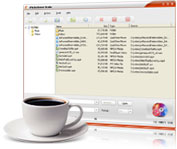
4Media Burner Studio is an ideal solution to make multimedia, bootable and image files into data CD/DVD discs, and create ISO image files from these kinds of files, as well as copy data CD and protected DVD directly. You can directly copy data CD and unprotected DVD to another.
The software supports all kinds of CD/DVD like CD-R, CD-RW, DVD-R, DVD+R, DVD-RW, DVD+RW, DVD+R DL. Besides, the ISO maker provides other useful features as follows: 1.
Data verification - Automatically verify data consistency after burning to ensure burned disc is in full accord with source data; 2. Set burn speed, copy number - The default burn speed is the highest that disc and recorder supports, and you can set the speed at will.
You can burn 100 copies of disc once at most; 3. Detailed burning process - Display real time remaining time, task percentage, left file size, etc.
for you to check; 4. Set after done action - Preset after done action to shut down, hibernate, stand by, or exit program after data disc burning; 5.
Auto-check for updates - Termly check for updates automatically according to your setting; 6. Easy to use - Concise interface and simple drag-drop operations ease your disc burning, image file making and editing; 7.
Multiple languages and skins - For different uses, 4Media Burner Studio provides multiple languages and skins.
The software supports all kinds of CD/DVD like CD-R, CD-RW, DVD-R, DVD+R, DVD-RW, DVD+RW, DVD+R DL. Besides, the ISO maker provides other useful features as follows: 1.
Data verification - Automatically verify data consistency after burning to ensure burned disc is in full accord with source data; 2. Set burn speed, copy number - The default burn speed is the highest that disc and recorder supports, and you can set the speed at will.
You can burn 100 copies of disc once at most; 3. Detailed burning process - Display real time remaining time, task percentage, left file size, etc.
for you to check; 4. Set after done action - Preset after done action to shut down, hibernate, stand by, or exit program after data disc burning; 5.
Auto-check for updates - Termly check for updates automatically according to your setting; 6. Easy to use - Concise interface and simple drag-drop operations ease your disc burning, image file making and editing; 7.
Multiple languages and skins - For different uses, 4Media Burner Studio provides multiple languages and skins.
File Size
5.18 MB
License
Shareware $29.99
Latest Update
05 Sept 2010
Publisher
Mary Miao