4S
4Easysoft SWF to FLV Converter
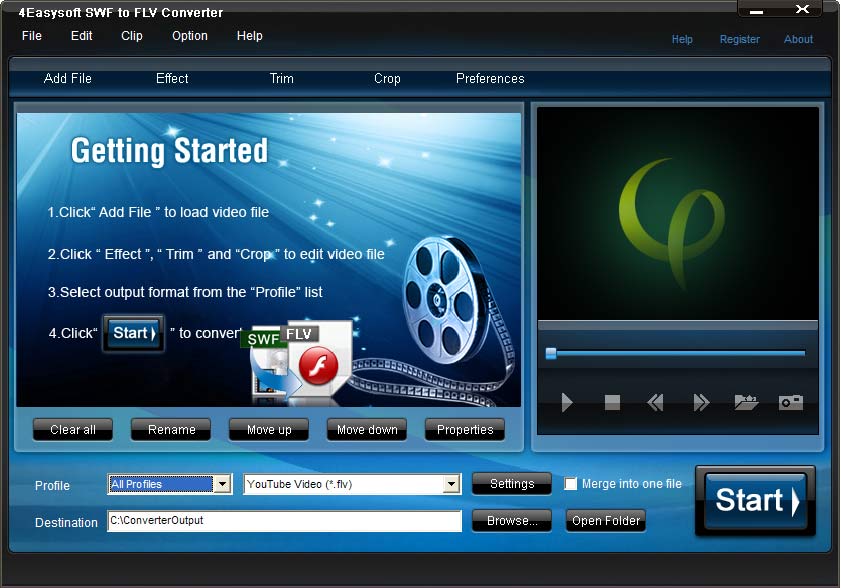
v3.1.284Easysoft SWF to FLV Converter takes the way to convert SWF to FLV for playing on Youtube and Flash Video Player. Besides convert SWF to FLV, this SWF to FLV Converter also gives you a hand to convert WMV, ASF, 3GP, 3G2 to SWF, FLV with ease. Moreover, 4Easysoft SWF to FLV Converter acts as video editor, With it, you can crop, trim the video and customize output video effect.
Description
4Easysoft SWF to FLV Converter takes the way to convert SWF to FLV for playing on Youtube and Flash Video Player. Besides convert SWF to FLV, this SWF to FLV Converter also gives you a hand to convert WMV, ASF, 3GP, 3G2 to SWF, FLV with ease.
Moreover, 4Easysoft SWF to FLV Converter acts as video editor, With it, you can crop, trim the video and customize output video effect. Key features: 1.Professional way to convert SWF to FLV Owning the professional way to convert SWF to FLV, you also can convert WMV, ASF, 3GP, 3G2 to SWF, FLV by using 4Easysoft SWF to FLV Converter.
2.Set video effect and Deinterlacing 4Easysoft SWF to FLV Converter allows you to set the video Brightness, Contrast, Saturation. Checking Deinterlacing helps you to convert interlaced video to the progressive video, this function can optimize the video effect.
3.Split video Capture excellent video clips by setting the start and end time, or dragging the slider bar. 4.Merge files into one 4Easysoft SWF to FLV Converter doubles your enjoyment with joining several interesting clips into one.
5.Crop video Frame the video play region that you want using this SWF to FLV Converter like smart scissors. 6.Real-time Preview Its preview display enables you to preview the original video and the instant output video for your operation at the same time, and capture your favorite pictures while previewing movies.
7.Add watermark Attach watermark on your video in image or text to make special effects. 8.Subtitle and audio track choice Subtitle and audio track are provided for you to choose.
Moreover, 4Easysoft SWF to FLV Converter acts as video editor, With it, you can crop, trim the video and customize output video effect. Key features: 1.Professional way to convert SWF to FLV Owning the professional way to convert SWF to FLV, you also can convert WMV, ASF, 3GP, 3G2 to SWF, FLV by using 4Easysoft SWF to FLV Converter.
2.Set video effect and Deinterlacing 4Easysoft SWF to FLV Converter allows you to set the video Brightness, Contrast, Saturation. Checking Deinterlacing helps you to convert interlaced video to the progressive video, this function can optimize the video effect.
3.Split video Capture excellent video clips by setting the start and end time, or dragging the slider bar. 4.Merge files into one 4Easysoft SWF to FLV Converter doubles your enjoyment with joining several interesting clips into one.
5.Crop video Frame the video play region that you want using this SWF to FLV Converter like smart scissors. 6.Real-time Preview Its preview display enables you to preview the original video and the instant output video for your operation at the same time, and capture your favorite pictures while previewing movies.
7.Add watermark Attach watermark on your video in image or text to make special effects. 8.Subtitle and audio track choice Subtitle and audio track are provided for you to choose.